Everyone’s
best shots.
One album.
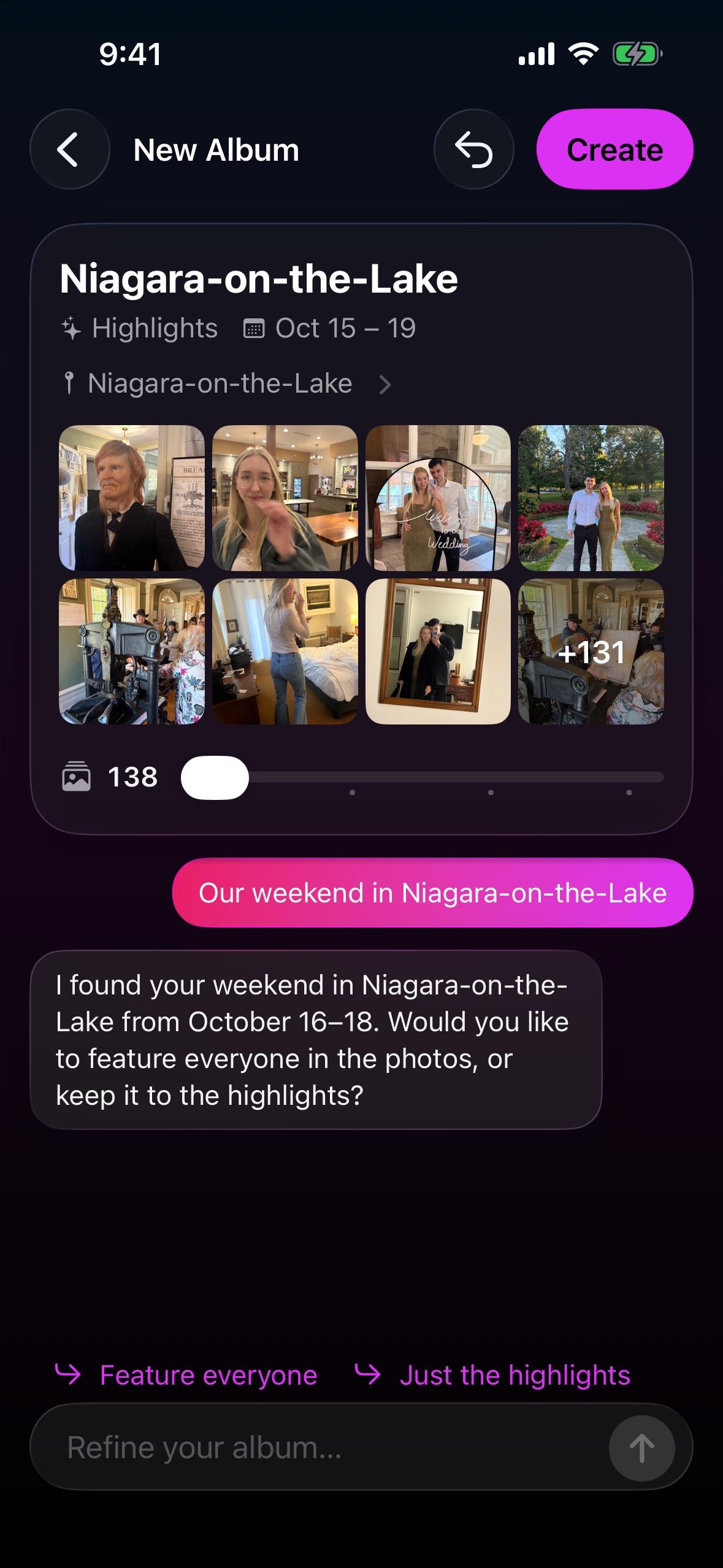
Describe an album in a sentence. Mosaic fills it with the best photos from everyone’s phones, and keeps it filling.
“Send me the pics.” No more.
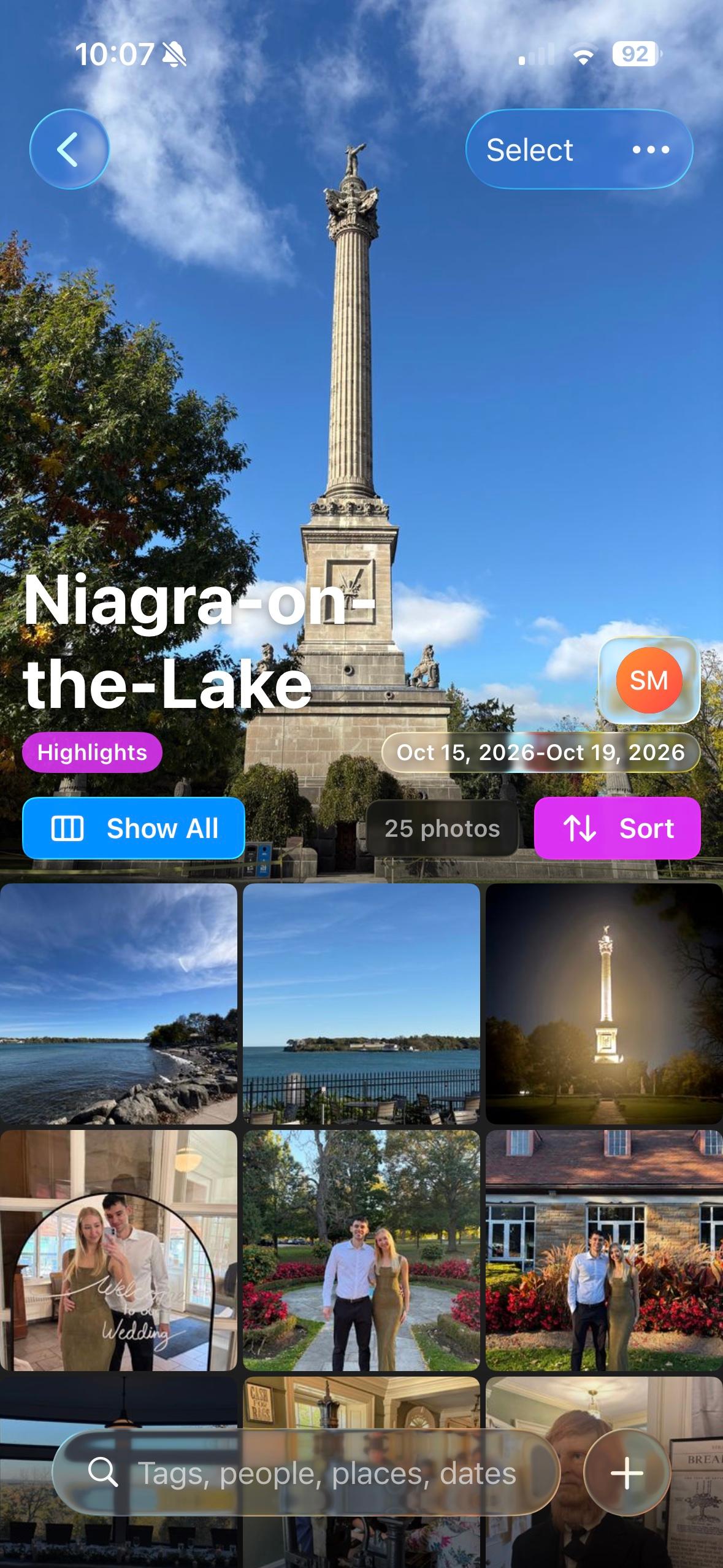
Everyone took photos. Nobody sent them. Mosaic adds the best from every phone, on its own.
Describe it. It builds it.
Tell Mosaic what the album is for. It finds the photos, names the album and fills it while you watch. Keep talking to make it yours.
A trip, a person, a pet, a season. Put it the way you’d say it to a friend.
Photos appear as you talk, so you see exactly what the album holds before you share it.
Ask for more of the food or fewer selfies, drag one slider for how picky, or change the details yourself.











Set once. Share forever.
Everyone’s phone pitches in. Their best shots land beside yours, this weekend and every one after.
Friends and family join with a link. Everyone adds to the same album.
New photos that fit land in the album as they’re taken. No more chasing.
Approve every photo, just the first few, or let your albums fill on their own.
Only the keepers.
Mosaic stacks the duplicates, leaves out the blurry and the throwaway, and leads with the best frame. One slider sets how picky each album is.





Ten tries at the same shot become one, led by the sharpest.
Screenshots, receipts and blurry misfires never make the album.
Each moment is represented by its best shot, so the album opens strong.

It sees what
you see.
Mosaic understands every photo: what’s in it, where and when it was taken, who’s there, and which shot is the keeper.
Sunsets, the dog, the food in Rome. Ask in your own words and it finds the photos you’re thinking of.
Ask for “every photo of Kate and me” and get just that.
Your library is understood ahead of time, and new photos as you take them, so albums fill in seconds.
Your photos are understood on your iPhone. They don’t go anywhere to be looked at.
What Kate sees










Your camera roll stays yours.
Friends see only the albums you share with them. Everything else stays on your phone.
Photos leave your phone when they go into an album, and only reach its members.
Check what’s going in before anyone else does, or let trusted albums fill on their own.
Smart features ask before they start, and you can turn them off anytime in Settings.
What’s your
first album?
Describe it in a sentence. Mosaic takes it from there.
For iPhone, iOS 26 and later.